Iskra Image Background Remover
Automated offline background removal utility
Free · No watermarks · No limitsIskra Image Background Remover is a fast, standalone desktop application that automatically removes photo backgrounds directly on your PC. Your photos never leave your device. Everything is processed 100% locally on your computer, meaning no file uploads, no subscriptions, no account creation, no internet connection required and NO watermarks.
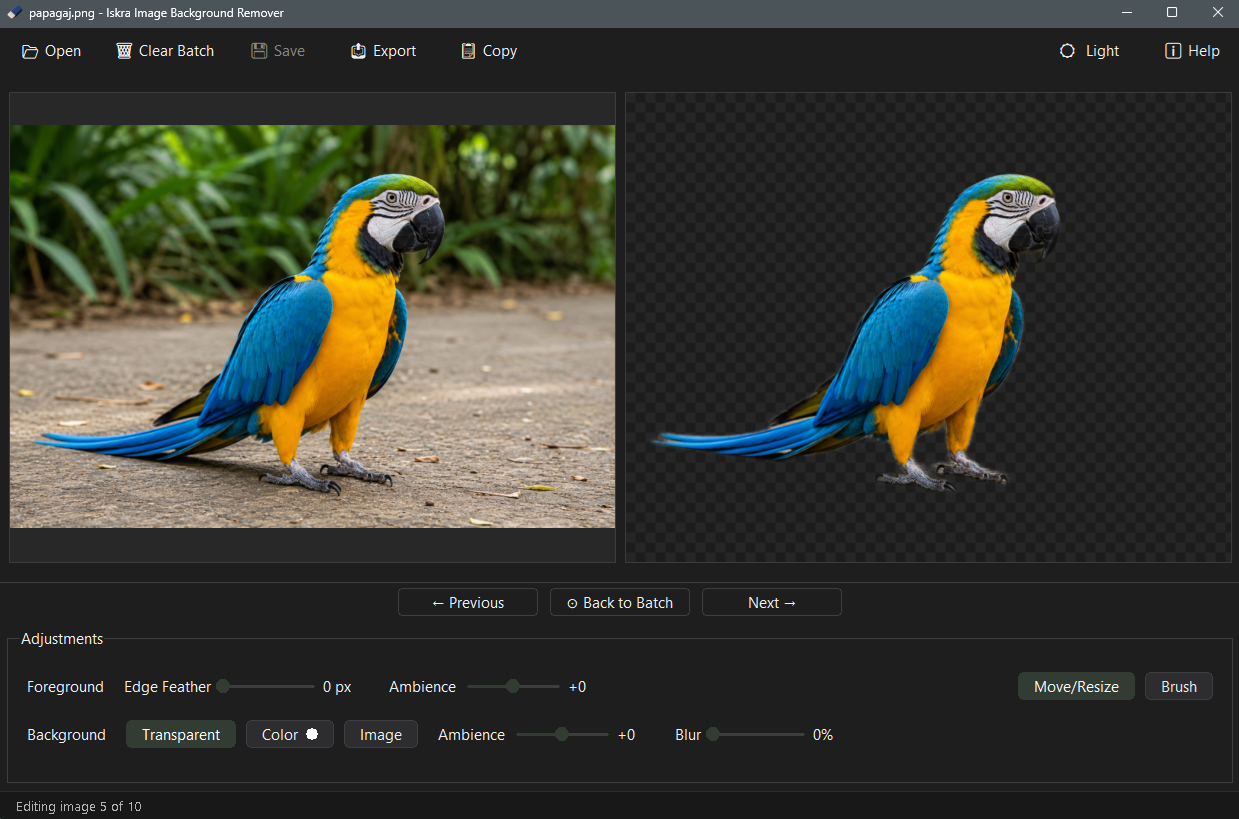
See it in action

Precise edge detection, even on fine fur detail.
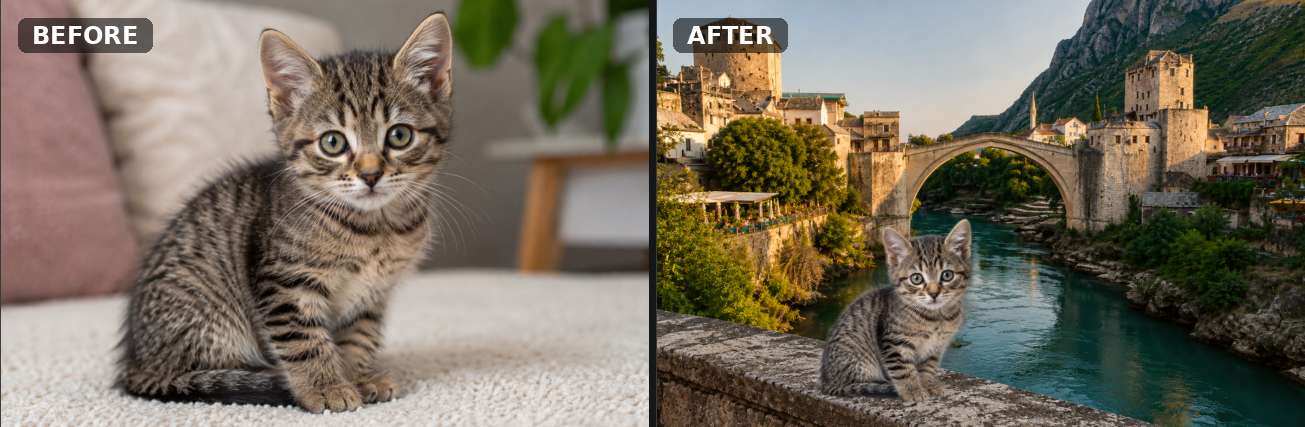
Swap in any custom background.
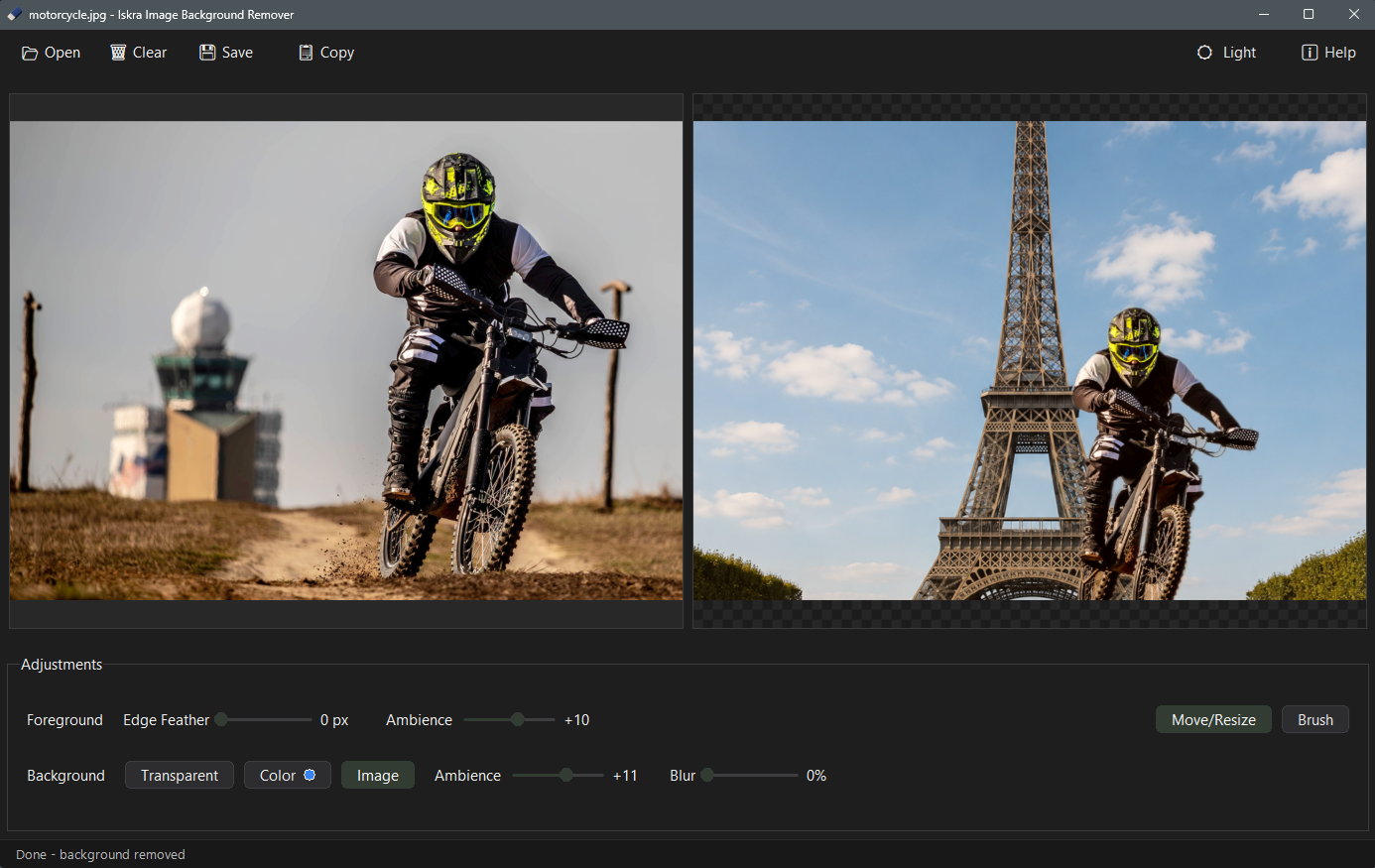
How Iskra IBR works
Three simple steps from photo to transparent cutout.
Load a photo
Drag and drop an image or open it directly from your PC.
Fine-tune edges
Adjust edge feather and background controls to perfect the cutout.
Export as PNG
Save your transparent PNG, or composite it on a custom background.
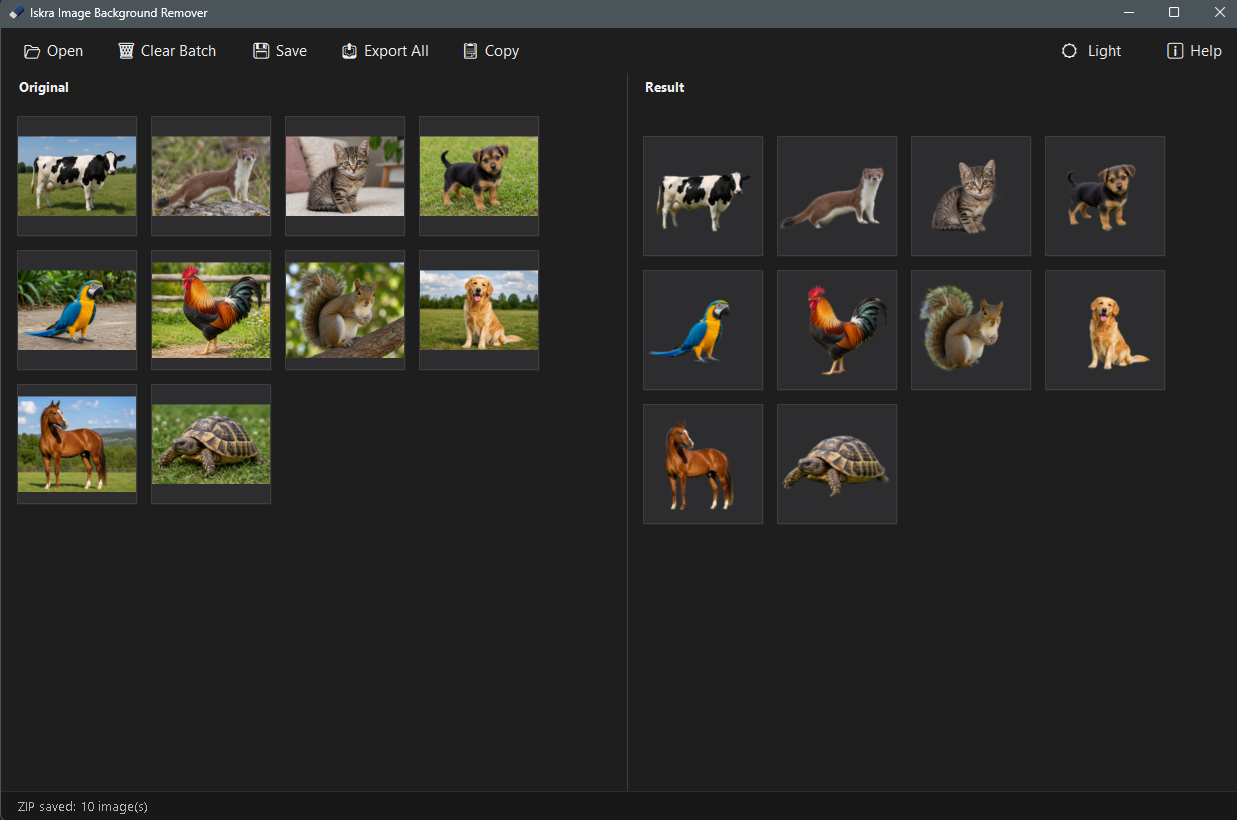
Batch Mode
Process an entire folder of photos in one pass. Drop in your images, then fine tune each one individually, adjusting edges, backgrounds, and other settings per photo. Your edits are remembered across the whole batch, so you can export everything as a single ZIP file, save all results directly to a folder of your choice, or save just the individual image you're currently editing. Batch mode is included for free, with no limits.
Key Features
- Free Forever: No trial, no watermarks, no limits. Process as many individual or batch images as you want at no cost.
- 100% Offline Processing: Nothing is uploaded to external servers or cloud services.
- Fine Tuning Controls: Powerful internal image processing allows you to adjust and fine tune edges precisely.
- Native Windows Performance: Optimized specifically for Windows to run efficiently using minimal system resources.
Frequently Asked Questions
Is Iskra Image Background Remover really free?
Yes. Iskra Image Background Remover is completely free to use, with no limits and no watermarks. Both single-image mode and batch mode are available at no cost. There are no ads, no subscriptions, and no hidden fees.
Does Iskra Image Background Remover upload my photos?
No. Iskra Image Background Remover processes everything 100% locally on your PC using a local machine learning model. Your photos never leave your device. There are no uploads to any server, no tracking, and no cloud processing.
Does it work offline?
Yes. Once installed, Iskra Image Background Remover works completely offline. No internet connection is required to remove backgrounds from your images.
What is batch mode?
Batch mode lets you process an entire folder of photos in one pass, fine-tune each image individually, and export everything as a ZIP file or directly to a folder. It is included for free, with no limits.
Which image formats are supported?
Iskra Image Background Remover supports common image formats including PNG, JPG, JPEG, BMP, and WEBP. Output is saved as transparent PNG, so you can place your cutout on any background.
How do I install Iskra Image Background Remover on Windows?
Iskra Image Background Remover is available from the Microsoft Store. Open the Store page using the button on this page and click Get to install the fully functional app.
Single-image mode and batch mode are both included for free.

Last updated: October 2026