ChromaSee
See the world through the eyes of a dog, cat, bird, bee or insect, or with color blindness. Free, private and on your device.
PWA App · Works on any OS Windows app available on Microsoft Store. On macOS, Linux, Android and iOS, open the web app and install it from your browser.How does the world look to others?
Dogs, cats, birds and bees do not see the world the way we do. Some cannot tell red from green, some see in dim light, and some see ultraviolet. About one in twelve men also sees colors differently because of color blindness.
ChromaSee lets you explore this. Take a photo or use the live camera, pick a view, and compare it with the original. It is made for curiosity, teaching and for helping others understand how color blindness can change what people see.
How ChromaSee works
Three simple steps, no account, no setup.
Take or choose a photo
Use your camera, the live view on a computer, or a picture you already have.
Pick a view
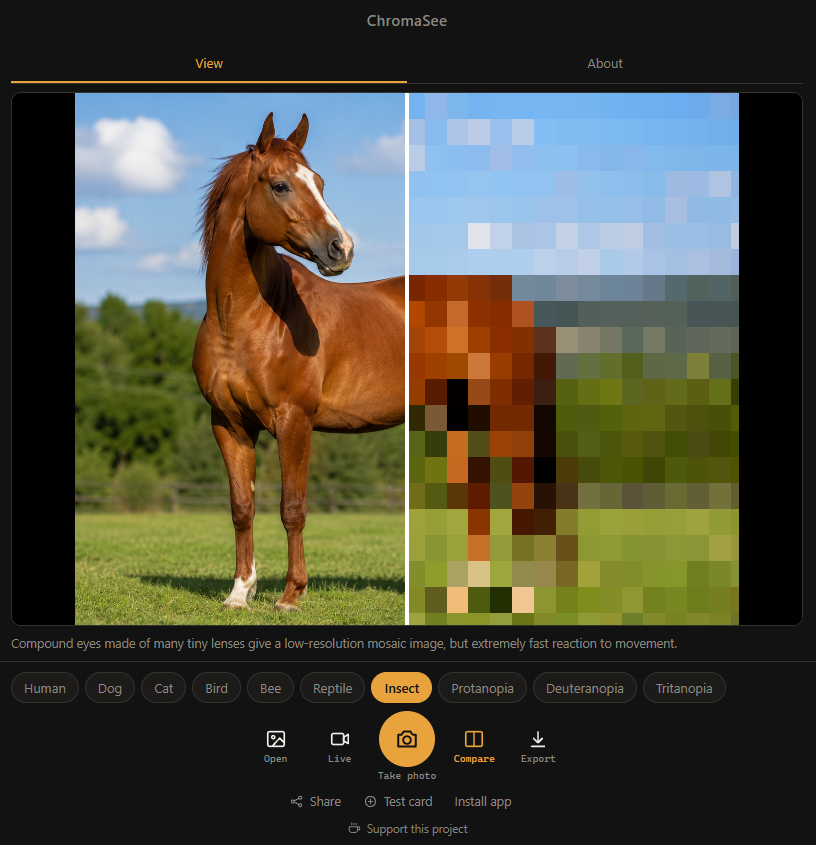
Dog, cat, bird, bee, thermal, insect, protanopia, deuteranopia or tritanopia.
Compare and share
Drag the divider to compare with the original, then save or share the picture.
Key Features
- 10 views: Human, Dog, Cat, Bird, Bee, Thermal, Insect, Protanopia, Deuteranopia and Tritanopia.
- Compare mode: Drag the divider (or use the arrow keys) to see the original and the filtered picture side by side.
- Photo or live camera: Take a photo, choose one from your device, or use the live camera on a computer.
- Export and share: Save a PNG of exactly what you see, including the comparison.
- Private: Pictures are processed on your device. Nothing is uploaded and there is no account.
- Works offline: Once installed, no internet connection is needed.
- Honest science: Each view explains what it shows and where it is only an estimate.
What your camera cannot see
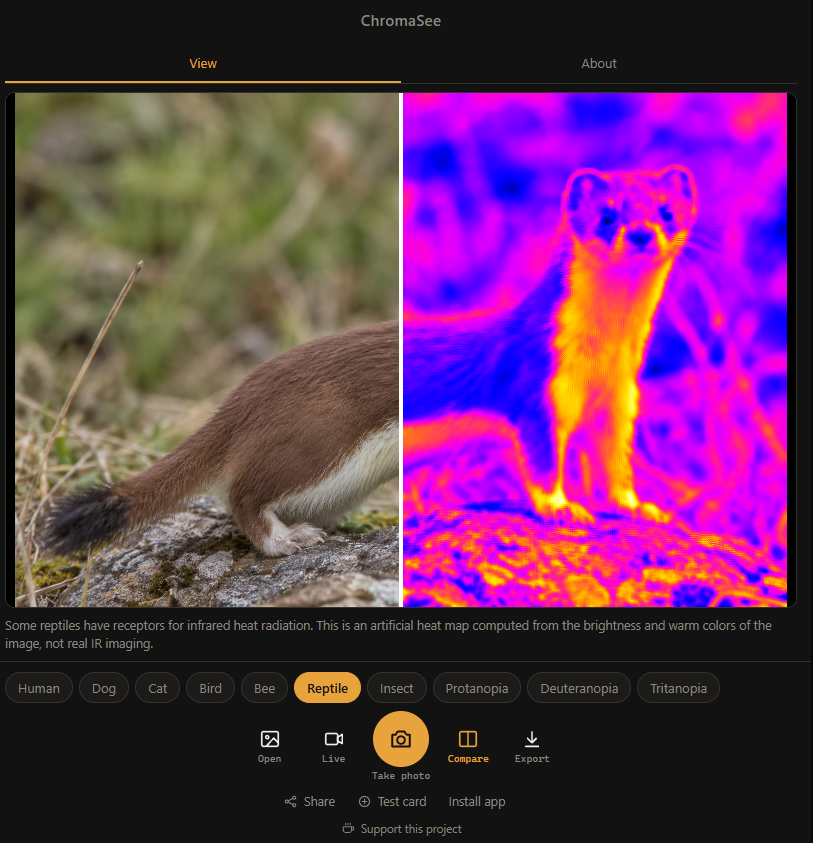
A phone or computer camera records only visible light and most filter out infrared on purpose. It cannot capture ultraviolet or infrared. So the bird and bee views estimate the ultraviolet part from visible colors, and the thermal view is an artificial heat map. They are effects inspired by real vision, not real UV or infrared photographs.
Not a medical tool. ChromaSee is for education and curiosity. It is not a medical device and cannot test for, diagnose or treat color blindness or any other condition.
Install ChromaSee Anywhere
ChromaSee is a Progressive Web App (PWA). On Windows you can get it from the Microsoft Store, and on other systems it can be added to your device's home screen or desktop straight from the browser.
* For Windows users, ChromaSee is also available on the Microsoft Store.
Frequently Asked Questions
Is ChromaSee really free?
Yes. ChromaSee is completely free, with no ads, no subscriptions and no sign-up.
Does ChromaSee upload my photos?
No. Photos and camera frames are processed on your device and never uploaded. There are no accounts. ChromaSee counts visits in aggregate with Cloudflare Web Analytics. See the Privacy Policy for details.
Can ChromaSee test me for color blindness?
No. ChromaSee is an educational simulator and is not a medical device. It cannot test for, diagnose or treat color blindness or any other condition. If you are worried about your vision, see an eye care professional.
Are the animal views accurate?
They are simplified, science-inspired simulations. The color blindness views use published transformation matrices (Machado, Oliveira and Fernandes, 2009). The dog and cat views are simplified models of dichromatic vision. Phone and computer cameras cannot capture ultraviolet or infrared, so the bird and bee views estimate UV from visible colors and the thermal view is an artificial heat map. They are effects inspired by real vision, not real UV or infrared photographs.
Can I use ChromaSee offline?
Yes. Once you install ChromaSee from your browser or from the Microsoft Store, it works offline. Everything is processed on your device.
Does ChromaSee work on iPhone and iPad?
Yes. Open ChromaSee in Safari on iOS, tap the Share button, and select "Add to Home Screen". It will install as a standalone app.
How do I install ChromaSee?
Open chromasee.koner.app in Chrome or Edge and click the Install icon in the address bar, or use "Add to Home screen" on your phone.
How do I install ChromaSee on Windows?
On Windows, get ChromaSee from the Microsoft Store. It installs as a standalone app with its own window and Start menu icon.
Gallery
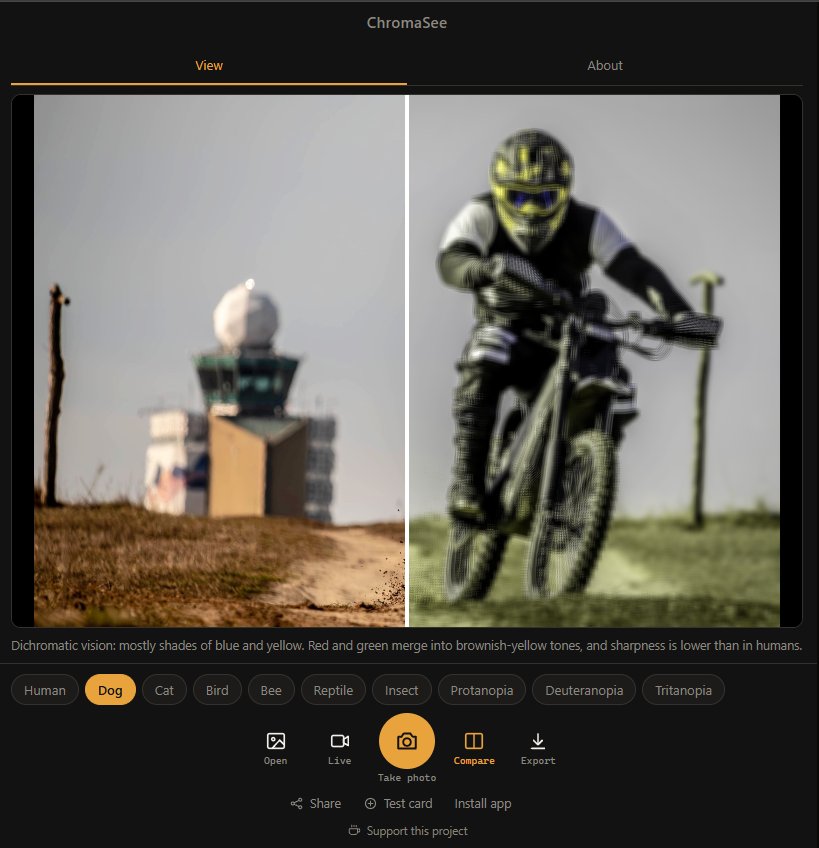
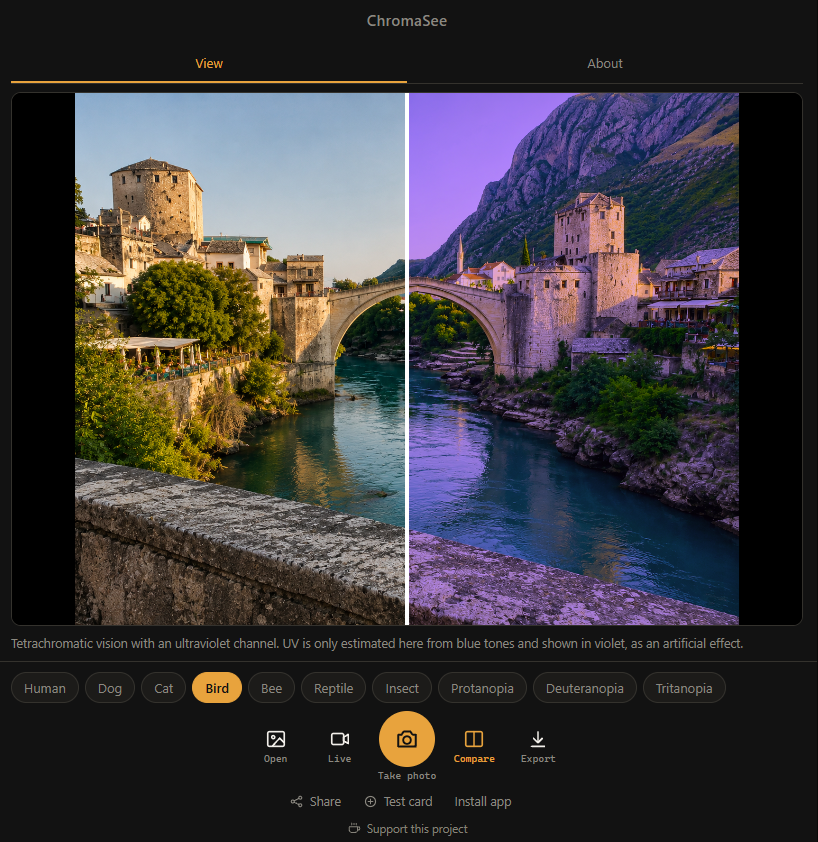
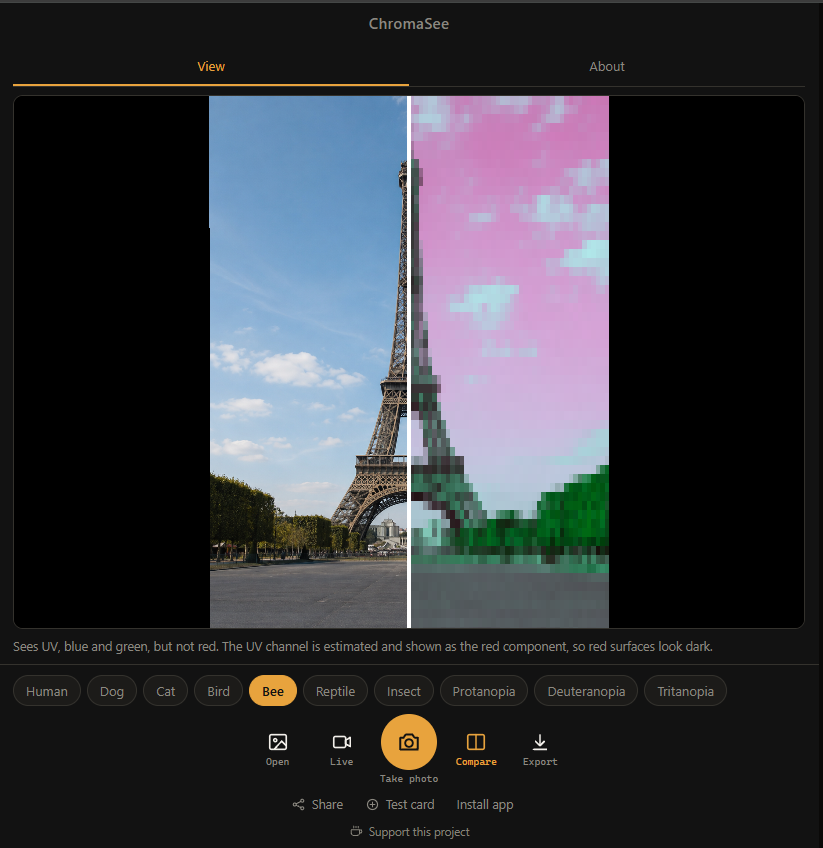
Take a look at ChromaSee in action.
Last updated: November 2026