Aimo Studio
PWA creator for Windows. Describe the app you want in plain words, the AI builds it, and you see it working right away. Or write the code yourself: the AI is optional. Edit with the mouse, then install your app from your website on any system, or export it as a native Windows installer.

Build PWAs by talking to an AI
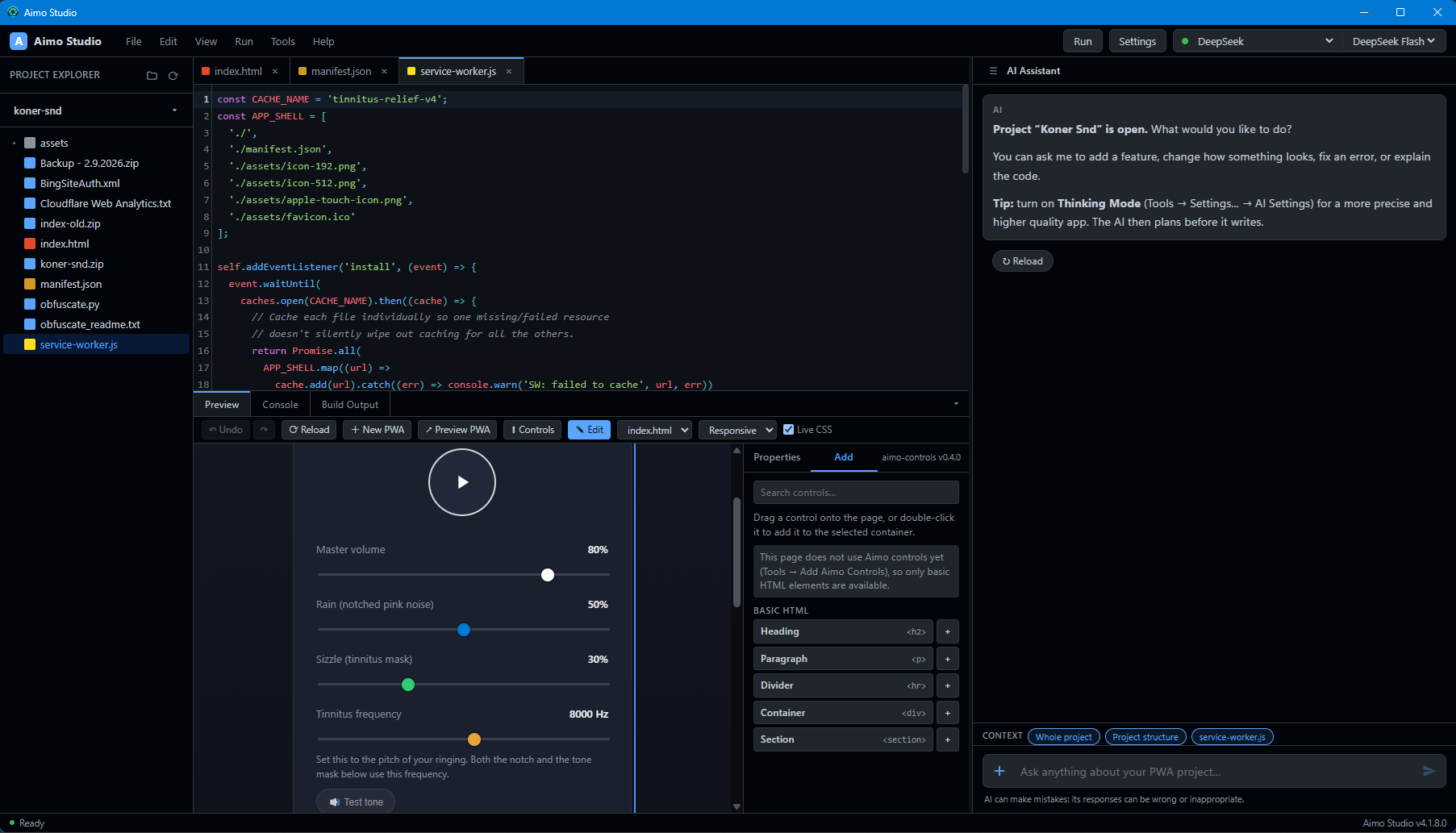
Aimo Studio is a PWA creator that runs on Windows, made for people who are not programmers, and just as usable by those who are. You describe what you want in the chat: a to-do list, a notes app, a small shop tracker, a puzzle. The AI writes the PWA code using ready-made Aimo controls, and you apply it to your project with one click. The Preview runs your PWA live inside Aimo Studio, and Edit mode lets you move, restyle or remove controls directly with the mouse. Because it is a PWA, the app you build runs on every system: Windows, macOS, Linux, Android and iOS. You can install it from your website on any device, or package it into a Setup.exe for Windows like any other native program.
Aimo Studio works with Claude, ChatGPT and DeepSeek using your own API key. You choose the provider in Settings, and you can try the whole PWA workflow first with a built-in demo that needs no API key at all.
If you already know HTML, CSS and JavaScript, you can skip the AI completely. The code editor, the live Preview, the Console, the PWA check and the Windows installer work without it, without an account and without an API key.
Three ways to shape your PWA
You decide how much of the work the AI does and how much you do with your own hands.
AI builds it
Describe the PWA in the chat, in your own words. The AI plans first with Thinking Mode, then writes complete files you apply with one click.
You refine it
Preview the PWA, click Edit to move controls, restyle with Live CSS, or ask the AI for a change. Undo any step that does not feel right.
Ship it
Host your PWA on your website so anyone can install it from Windows, macOS, Linux, Android or iOS. Or export a Setup.exe and ship it as a native Windows program.
Save tokens, see the cost
AI services bill by tokens, and sending your whole project again with every message gets expensive fast. Aimo Studio is built to avoid that. Your project is sent to the AI once, and every later message carries only what changed. The AI provider recognizes the part it has already seen and bills it at a much lower cached price, so a long conversation stays cheap.
- Smart caching: The project snapshot, the file list and your earlier messages stay identical from one message to the next, so the provider's prompt cache is reused instead of billed again at full price.
- Only what changed: After the first message, the AI receives differences, not whole files, and it is told which changes you made and which it made.
- Small edits, not rewrites: The AI changes a file with short targeted edits instead of printing the entire file again, which saves output tokens too.
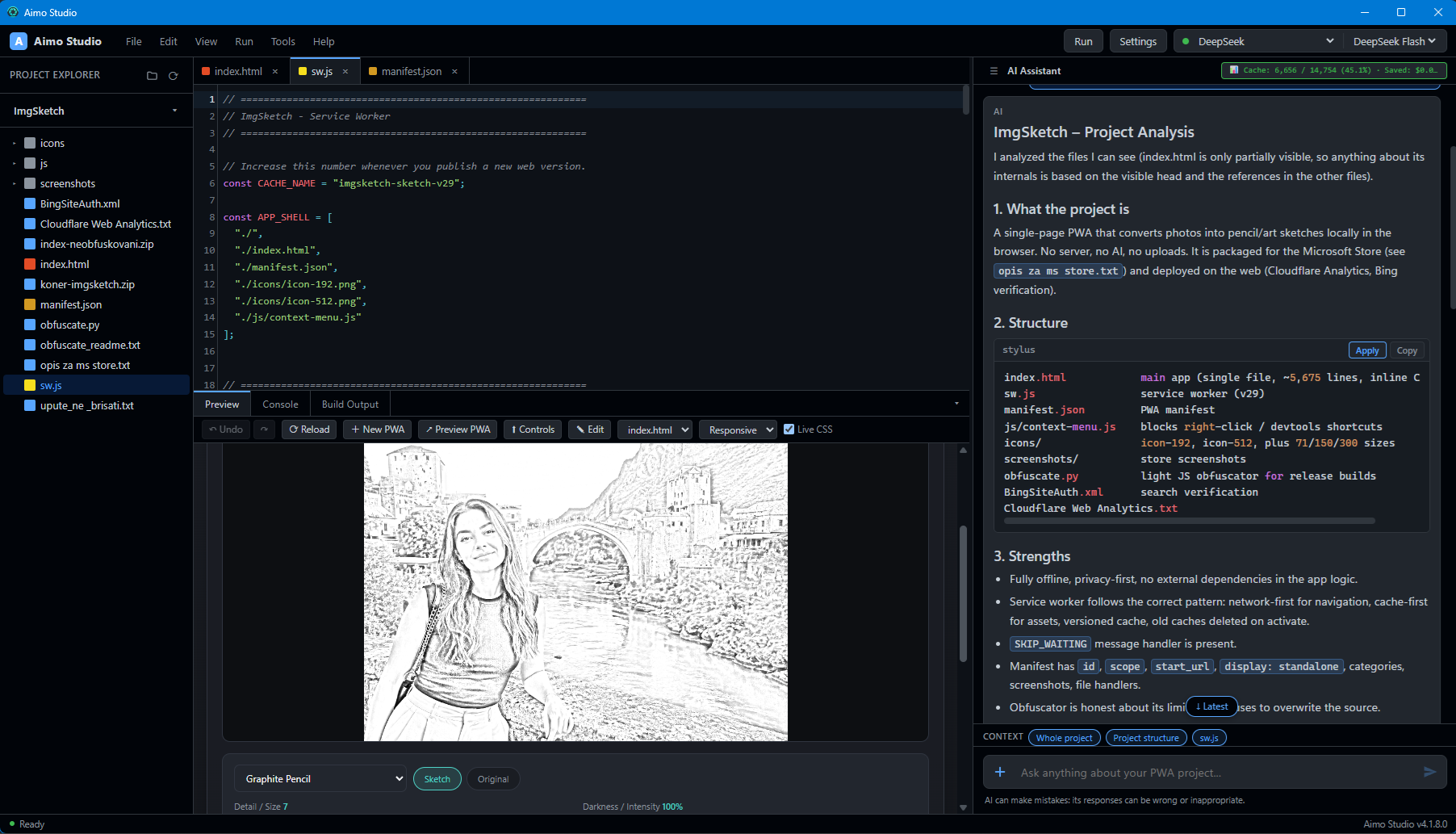
- Live cache and cost display: After every answer, a badge above the chat shows how many input tokens came from the cache. Hover it for the model, the cache hits and misses, reasoning and output tokens, and the total. For DeepSeek it also shows the estimated cost of the answer and how much the cache saved, in dollars. Other providers show tokens only.
- You choose what is sent: Switch the whole project, the project structure or the open file on and off for each message, with a token estimate next to each.
- A warning before big costs: Before you attach a large file or many pictures, Aimo Studio shows an estimate and lets you decide.
Cost figures are estimates. Check your provider's price list and usage page for the exact amount.
Key Features
- PWA creator, not just an editor: Aimo Studio builds a complete PWA from scratch: HTML, CSS, JavaScript, manifest and service worker, all handled by the AI using ready-made Aimo controls.
- Plain words in, working PWA out: Type in any language. The AI plans and writes, and you apply its answer with one click.
- Write the code yourself: The AI is optional. A full code editor, live Preview, Console and PWA check work without an account or an API key.
- Token saver: Smart caching and small targeted edits keep AI usage cheap, and a live badge shows cache use after every answer, with an estimated cost and savings for DeepSeek.
- Live Preview: Press F5 and your PWA runs inside Aimo Studio. A reload takes a second, so you can iterate quickly without leaving the window.
- Visual Edit mode: Click a control in the Preview to select it, drag to move, delete with the Delete key, or restyle with Live CSS. No code needed for layout changes.
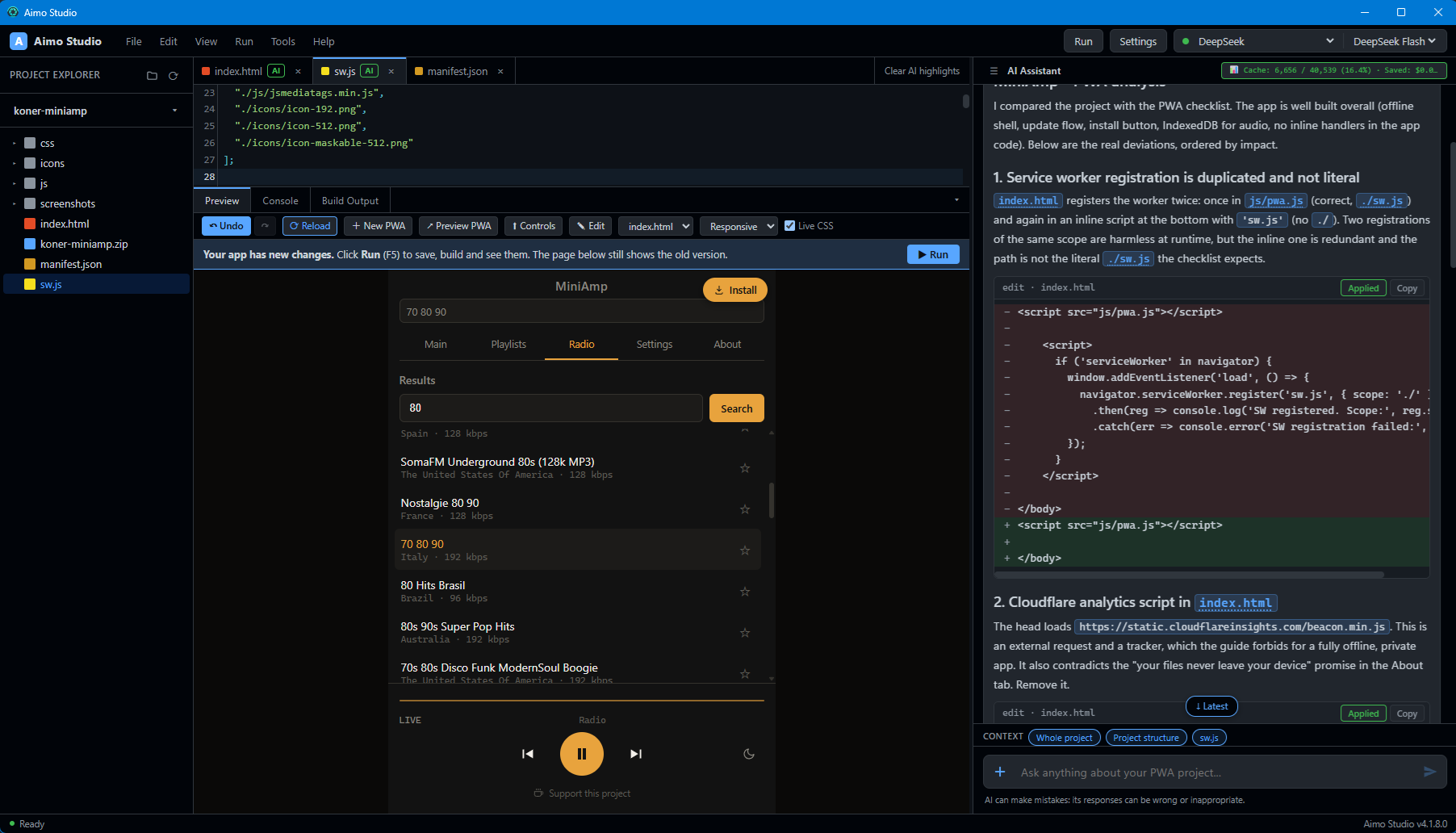
- Apply with one click: The AI returns code in blocks, each with the file name above it. Click Apply to write it to your PWA project, or Apply all at once. Undo is always one click away, for AI changes and for your own edits.
- Multiple AI providers: Use Claude, ChatGPT or DeepSeek with your own API key. Keep Thinking Mode on for better results, switch to a stronger model for harder tasks.
- Thinking Mode: The AI plans before it writes, which gives noticeably better PWA code on complex requests. A little slower and a little more expensive, but usually worth it.
- Built-in demo: Start the demo PWA to-do app without an API key. Try the Preview, try Edit mode, see how the workflow feels before you connect a provider.
- Ready-made controls: A library of
aimo-controls such as buttons, cards, lists, tabs and grids. Controls stay in your PWA project, so you can update them whenever you want. - Console with real errors: JavaScript errors appear in the Console tab with a message you can copy straight to the AI with the words "Fix this error". The Console also runs a line of JavaScript inside your app.
- Runs on every system: The PWA you build installs from your website on Windows, macOS, Linux, Android and iOS. Same app, same code, every device.
- Native Windows installer: When you only need Windows, package the same PWA as a Setup.exe. It installs like any other native program, without needing a browser.
- Built-in Help: Ready-to-copy example prompts for the AI and JavaScript commands for checking your app.
- Project folders and chats: Every PWA project keeps its own files and its own conversation. Open the folder and you can continue where you stopped last time.
- Privacy first: Your API key is stored safely by Windows and is never shown again. PWA project files stay on your computer. Only what the AI needs is sent to the provider you chose, and nothing is sent if you never use the AI.
Bring your own AI
Aimo Studio does not lock you to one AI provider. You choose Claude (Anthropic), ChatGPT (OpenAI) or DeepSeek in Settings, paste your own API key, and start building your PWA. Any server that speaks the OpenAI format also works. You can switch providers at any time without losing your project.
Claude gives the best results for programming and is a good choice for the hardest PWA tasks. ChatGPT is very good and a natural fit if you already have an OpenAI key. DeepSeek is a low-cost option that lets you try many test PWAs for a few dollars in total. Keeping Thinking Mode on gives noticeably better results, a little slower and a little more expensive.
Please note: AI can make mistakes. A new API key sometimes needs a minute to start working. If an answer is cut off, increase Max Tokens in Settings and ask again.
Frequently Asked Questions
Do I need to know programming to use Aimo Studio?
No. You describe the PWA you want in plain words in the chat, the AI writes the code, and you apply it with one click. You can also tweak the layout with the mouse in Edit mode without touching any code. If you do know HTML, CSS and JavaScript, you can write the code yourself: the AI is optional, and the editor, Preview, PWA check and Windows installer all work without it.
Which AI services does Aimo Studio support?
Aimo Studio works with Claude (Anthropic), ChatGPT (OpenAI) and DeepSeek, or any server that speaks the OpenAI format. You use your own API key, choose the provider in Settings, and can switch at any time. Keeping Thinking Mode on gives noticeably better results on harder tasks.
How does Aimo Studio keep AI costs low?
Your whole project is sent to the AI once, and later messages carry only what changed, so the provider's prompt cache is reused instead of billed again at full price. The AI edits files with small targeted changes instead of rewriting them. After every answer Aimo Studio shows how many input tokens came from the cache, and for DeepSeek it also shows an estimated cost and savings in dollars. Other providers show tokens only. Before you attach a large file or many pictures you get a cost estimate and decide whether to send it.
Does Aimo Studio create a real Windows program?
It creates a PWA. That PWA runs on Windows, macOS, Linux, Android and iOS, and people install it straight from your website. If you only need Windows, Aimo Studio can also package the same PWA into a Setup.exe installer, so it installs and runs like any other native Windows program, without a browser.
Where does my project data go?
PWA project files stay on your computer. Your API key is stored by Windows and is never shown again. Only what the AI needs to answer is sent to the provider you chose, the same way as with any online AI service. If you never use the AI assistant, nothing leaves your computer.
Do I have to pay for the AI?
Aimo Studio itself does not charge per message. You pay the AI provider you choose for its use, usually small amounts per request. Check the provider price list for details.
Can I try Aimo Studio without an API key?
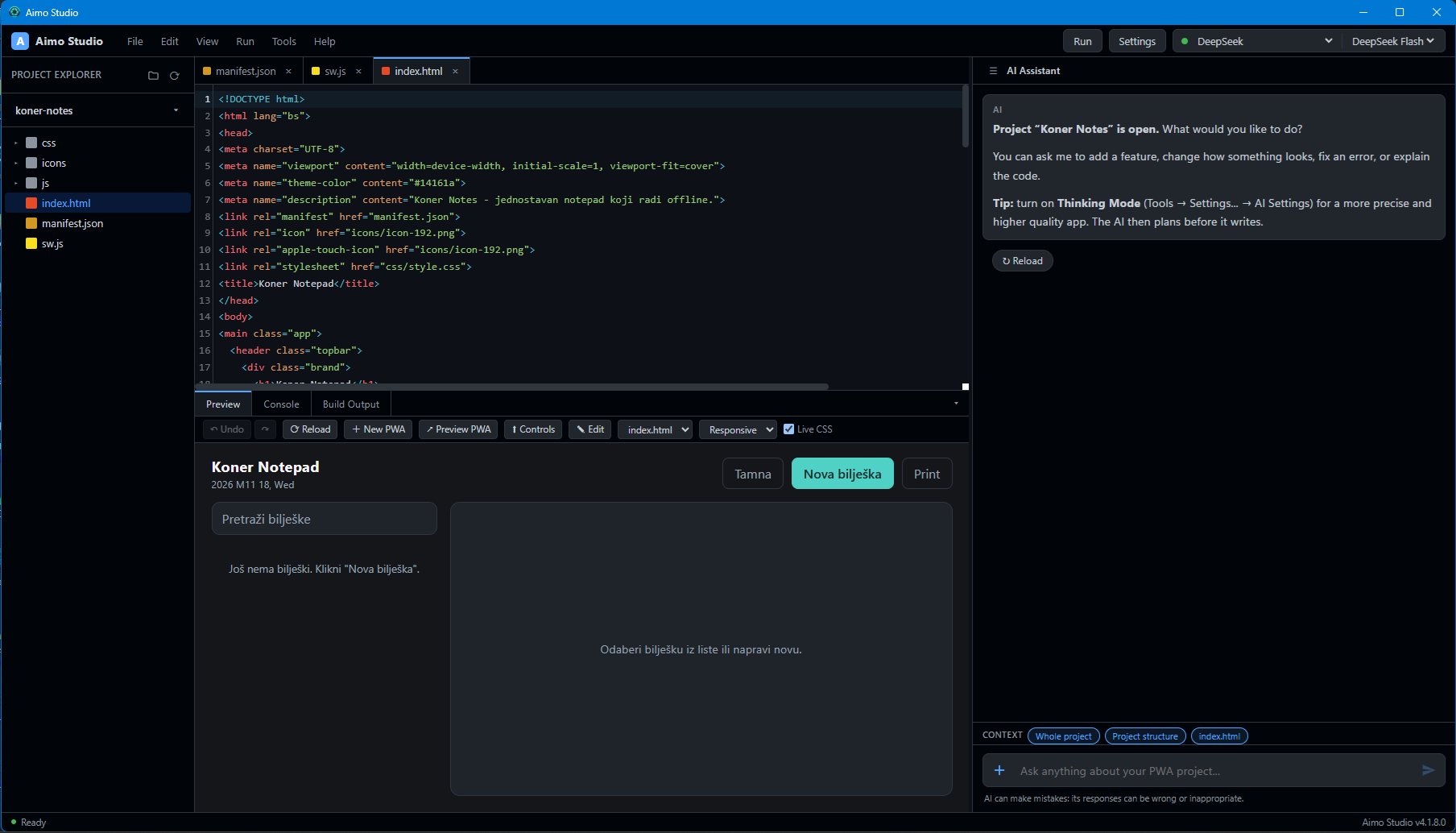
Yes. When no project is open, the Preview shows the button Start the demo app. It opens a small working PWA to-do list made with Aimo controls so you can try the Preview and Edit mode before connecting any AI provider.
Gallery
Take a look at Aimo Studio building PWAs in action.
Last updated: November 2026